Magicard Printer-to-Film Compatibility Guide
Noe ArboledaMatch your Magicard printer to its film
Check the complete printer model, including the NEO designation, before ordering colour film. YMCKO means Yellow, Magenta, Cyan, Black and Overlay. The same shot count does not establish compatibility.
Quick model selector: full-panel colour
| Printer model | Film / product link | Single-sided colour yield |
|---|---|---|
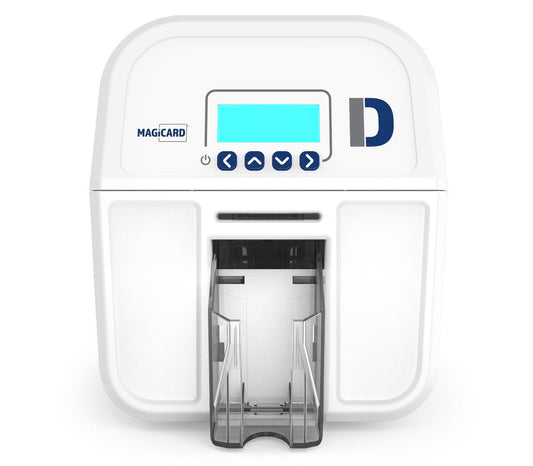
| Magicard D | MZ300YMCKO | Up to 300 cards |
| Pronto, Enduro3E, Rio Pro, Rio Pro 360 | MA300YMCKO | Up to 300 cards |
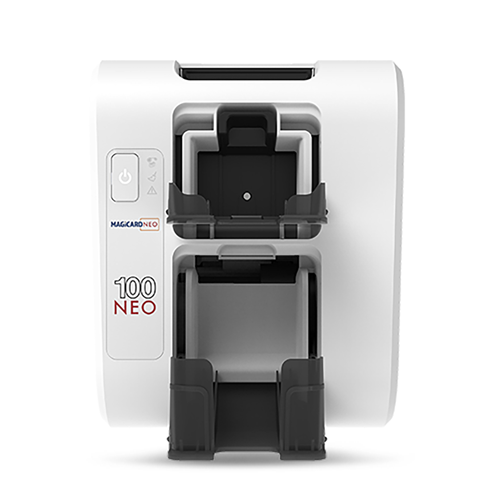
| Magicard 100 NEO | MP100YMCKO | Up to 100 cards |
| Pronto NEO, Enduro NEO, 360 NEO, 300 NEO, 600 NEO | MN300YMCKO | Up to 300 cards |
NEO exception: The Magicard 100 NEO uses MP100YMCKO in our product listing. Do not choose MN300YMCKO on the NEO name alone.
Other colour-film options
| Film / product link | Listed printer models | Use and yield |
|---|---|---|
| MA250YMCKOK | Enduro3E, Rio Pro, Rio Pro 360 series | Up to 250 finished cards with full colour and overlay on the front, black on the reverse. Requires a suitable double-sided printing configuration. |
| MA450YMCKO-half | Pronto, Enduro3E, Rio Pro, Rio Pro 360 series | Up to 450 half-panel colour images. Suited to an ID photo on a pre-printed background, not a substitute for full-panel colour coverage. |
Do not infer NEO compatibility for these MA colour films from their names. Ask CCS for the correct model-specific alternative where needed.
Monochrome ribbons
Unlike the model-specific colour films above, CCS advises that its MA1000K monochrome ribbons can be loaded across its Magicard printer range, including NEO models. Select the required colour or finish and confirm the exact ribbon and regional version with CCS if your model is not named on its product page.
MA1000K options: Black, Blue, Red, Green, White, Gold, Silver and Scratch. Listings specify up to 1,000 single-sided prints or 500 cards printed on both sides. Double-sided output depends on the printer configuration.
MA600KO is a separate black-with-overlay option, rated for up to 600 images with overlay, or approximately 300 cards when both sides each consume one image. Its listing names Pronto, Enduro and Rio Pro series. Confirm other models with CCS rather than treating it as interchangeable with MA1000K.
Understanding single- and double-sided yields
At one complete YMCKO sequence per printed side, a 300-shot roll provides up to 300 colour-front/blank-back cards or 150 colour-both-sides cards. MP100YMCKO provides up to 100 colour-front/blank-back cards or 50 colour-both-sides cards. Film capacity does not mean every printer supports automatic double-sided printing.
Colour-front/black-back yield depends on panel-use settings. MZ300YMCKO is listed for up to 150 cards in standard mode or 300 with the dual-sided Tipid feature. MA300YMCKO and MN300YMCKO listings describe up to 300 cards using YMCO/K on a dual-sided printer. Confirm the setting for your exact model with CCS before budgeting on the higher yield. MA250YMCKOK instead has a dedicated reverse-side black panel and is rated for 250 colour-front/black-back cards.
Check the film and chip before buying
Give CCS your full printer model and the part number and regional suffix from your existing ribbon label or box. Confirm the replacement part and region before installation. If the printer rejects the film, ask CCS to check the label and printer details rather than trying another chip at random.
Authenticity checks
Buy from a trusted authorised dealer. Inspect the packaging and film for damage and keep the serial label and purchase record.
Our existing Magicard Ribbon Warning describes suspect MA300YMCKO films, including short serial labels, damaged packaging and print-quality problems. It describes legitimate serial labels as starting with C and being 11 characters long. Treat these as warning signs to investigate, not a standalone authenticity test for every current film. Poor print quality alone does not prove a counterfeit.
If something looks wrong, stop using the film and contact CCS with the printer model, film part number, serial label and photos. Read the full warning article before purchasing.